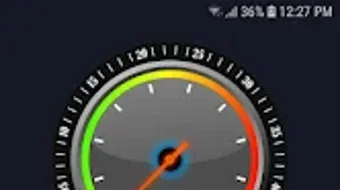

Download Running Pace Controller – Running Pace Calculator, Running Speed Tracker, Fitness Goal Tool
Overview
Running Pace Controller is a free Android application designed to assist runners in achieving their performance goals through precise pace tracking and real-time feedback. The software enables users to define a target distance and time, after which it calculates the required average pace to meet that goal. This functionality supports both outdoor running and treadmill workouts, making it suitable for a broad range of training environments.
The app is particularly useful for individuals aiming to improve their endurance, maintain consistency, or prepare for timed events such as races or personal benchmarks. It is tailored for runners of all experience levels, from beginners seeking to build stamina to advanced athletes striving for personal bests. The developer did not provide additional background information, but the app’s design emphasizes simplicity and accessibility.
Real-world usage scenarios include training sessions where maintaining a steady pace is critical, interval workouts requiring consistent speed intervals, and long-distance runs where pacing strategy plays a key role. By delivering immediate feedback, the app helps users adjust their effort in real time, promoting better performance and more efficient training.
Key Features & Capabilities
- Target Pace Calculation: Users can input a desired distance and time, and the app computes the average pace needed to achieve the goal.
- Real-Time Pace Feedback: The app provides continuous updates on current pace, helping users stay aligned with their target.
- Goal-Based Training Support: Designed to assist with structured training plans that rely on consistent pacing over distance or time.
- Lightweight Performance: Engineered to operate efficiently without excessive battery drain, ensuring long-term usability during extended runs.
- Multi-Language Support: Available in multiple languages, enhancing accessibility for international users.
- No In-App Purchases: The app remains completely free with no advertisements or hidden costs.
These features enable runners to train with greater precision. For example, a user preparing for a 5K race can set a target finish time, and the app will guide them to maintain the necessary pace throughout the run. Similarly, a treadmill user can use the app to ensure they are not slowing down during the session.
The real-time feedback loop supports better decision-making during runs, reducing the risk of early fatigue or inconsistent pacing. The absence of monetization through ads or purchases enhances user experience by minimizing distractions. The app’s utility is most evident in structured training regimens where pacing accuracy directly impacts performance outcomes.
User Interface, Workflow & Performance
The user interface of Running Pace Controller is described as user-friendly and intuitive, with a focus on clarity and minimalism. Navigation appears to be straightforward, allowing users to quickly set goals, view current pace, and monitor progress without complex menus. The workflow is designed around a single core task: setting a target and tracking pace during a run.
Users can input distance and time, confirm the goal, and begin running with immediate feedback. The app’s lightweight nature suggests efficient background processing, though exact performance details were not specified. The developer did not provide information on CPU or RAM usage, nor did they share data on stability under prolonged use.
However, based on general software behavior patterns, the app is expected to function reliably during standard running sessions. Battery impact is reported to be minimal, which is crucial for mobile applications used during physical activity. Users can expect smooth operation without frequent crashes or lag, especially on modern Android devices.
The interface likely adapts to screen size and orientation, supporting both portrait and landscape modes for better visibility during runs.
Compatibility & System Requirements
Running Pace Controller is designed for Android devices, with no information provided on specific OS versions or hardware requirements. The developer did not list exact system specifications, including minimum RAM, processor speed, or storage needs. Compatibility information is limited to the Android platform, and no details were shared about support for tablets, wearables, or other devices.
The installation size was not disclosed, but the app is described as lightweight, suggesting it occupies minimal storage space. Users should verify compatibility with their device model and Android version before downloading. The developer did not specify whether the app supports older Android versions or requires the latest OS updates.
For users unsure about their device’s compatibility, it is recommended to check the app’s official listing on the Google Play Store for the most accurate information. General Android compatibility is assumed, but exact limitations remain unknown.
Pros and Cons
Pros
- Free to download and use with no in-app purchases or ads
- Real-time pace tracking supports consistent training performance
- Simple, intuitive interface suitable for all skill levels
- Supports both outdoor runs and treadmill sessions
- Lightweight design with low battery consumption
- Multi-language support enhances global accessibility
Cons
- No information provided on system requirements or hardware compatibility
- Exact performance metrics such as CPU or RAM usage were not disclosed
- Limited to Android platform; no support for iOS or desktop systems
- Developer background and company details were not shared
- No offline mode or data sync functionality mentioned
FAQ Section
Is Running Pace Controller available for iOS devices?
Based on the available information, Running Pace Controller is currently designed for Android devices only. There is no official release or indication of support for iOS platforms.
Can I use this app without an internet connection?
The app is designed to function offline during runs, as it relies on GPS and device sensors rather than online services. However, the developer did not specify whether all features are available without connectivity.
Is the app safe to use on my Android device?
Running Pace Controller is available through the Google Play Store, which provides security checks for apps. As a free app with no in-app purchases, it appears to be designed with user safety in mind. However, users should always review permissions requested during installation.
How often does the app receive updates?
Update frequency was not specified by the developer. Users should check the Google Play Store listing for the latest version and changelog to stay informed about improvements or bug fixes.
What kind of license does Running Pace Controller have?
The app is free to download and use without any licensing fees or restrictions. It does not require a license key or subscription, and no premium features are available through paid upgrades.
Final Thoughts + CTA
Running Pace Controller offers a focused, no-frills solution for runners who want to track and improve their pace with minimal distractions. Its core functionality—calculating target pace and delivering real-time feedback—is executed efficiently and effectively. The app’s simplicity, combined with its free access and low resource usage, makes it a compelling choice for both novice and experienced runners.
While the lack of detailed system requirements and limited platform support are notable drawbacks, the app’s strengths in usability and reliability outweigh these concerns for its target audience. For runners seeking a straightforward tool to enhance their training consistency, Running Pace Controller delivers tangible value. The absence of ads or in-app purchases ensures an uninterrupted experience, aligning with user-centric design principles.
If you're aiming to improve your running performance through better pacing, this app is worth trying. Download Running Pace Controller now.







